Get More Google Reviews
Get more Google reviews by sending customers a direct review request through text or email. Local SEO Express makes it easy to ask at the right time and send customers straight to your Google review page.
Send requests one at a time or reach several customers at once. You can also create branded QR posters, shareable review links, and Pay & Review pages.
Set up your business, add your Google review link, and send your first request in minutes.
Send Review Request
Make It Easier for Customers to Review Your Business
Use the tools that fit the way your customers already communicate.
Happy Customers Often Forget to Leave a Review
You provide great service. Your customer leaves happy. Then the day gets busy, and the review never gets written.
Waiting for customers to find your Google profile on their own leaves too much to chance. Local SEO Express gives you a simple process for asking while the experience is still fresh.
How to Get More Google Reviews
Getting more Google reviews starts with making the request simple. Local SEO Express helps you send the right message and removes extra steps for the customer.
Add Your Google Review Link
Connect each business location to its correct Google review page. Customers will be directed to the right listing.
Send a Review Request
Send the request by text or email. You can customize the message so it sounds like your business.
Make Reviewing Easy
The customer taps your link and goes directly to Google. They do not need to search for your business or find the review button themselves.
Track Your Requests
See which requests were sent and which links were clicked. Use that activity to improve when and how you ask.
Powerful Tools to Get More Reviews
SMS, email, direct links, QR posters, and Pay & Review pages support one result: get more honest Google reviews from real customers.
SMS Requests
Send Google review requests by text with a direct link.
Email Requests
Branded emails with a clear Google review button.
Review Links
One link that opens the review process—no searching.
QR Posters
Branded print-ready posters customers can scan.
Pay & Review
Payment options plus your Google review link on one page.
Send Google Review Requests by Text
Reach customers on the device they already use every day. Send a short, clear text with a direct link to your Google review page.
Create reusable message templates for your team. Personalize each request with the customer’s name and your business details.
- Send individual review requests
- Send requests to customer lists
- Use custom SMS templates
- Include a direct Google review link
- Track delivery and link activity
- Manage customer consent and opt-outs
Would you take a moment to share your experience?
Leave a Google review: [your review link]
Reply STOP to opt out.
Businesses using SMS must complete the required messaging registration before sending live text messages.
Ask for Google Reviews by Email
Send clean, branded review emails without building a campaign from scratch. Each email includes a clear button that takes customers to your Google review page.
Use your business name, logo, colors, and message. Customers receive a review request that looks professional and easy to trust.
- Branded email requests
- Custom subject lines
- Reusable email templates
- Direct Google review buttons
- Mobile-friendly design
- Request and click tracking
We hope you were happy with our service. Your feedback helps us improve and helps other customers choose the right company. Leave a Google Review
Share One Direct Google Review Link
Do not make customers search for your listing. Give them one link that opens the review process.
Copy the link and place it anywhere your customers may see it.
- Text messages
- Emails
- Receipts and invoices
- Your website and social media
- Thank-you pages
- Staff email signatures
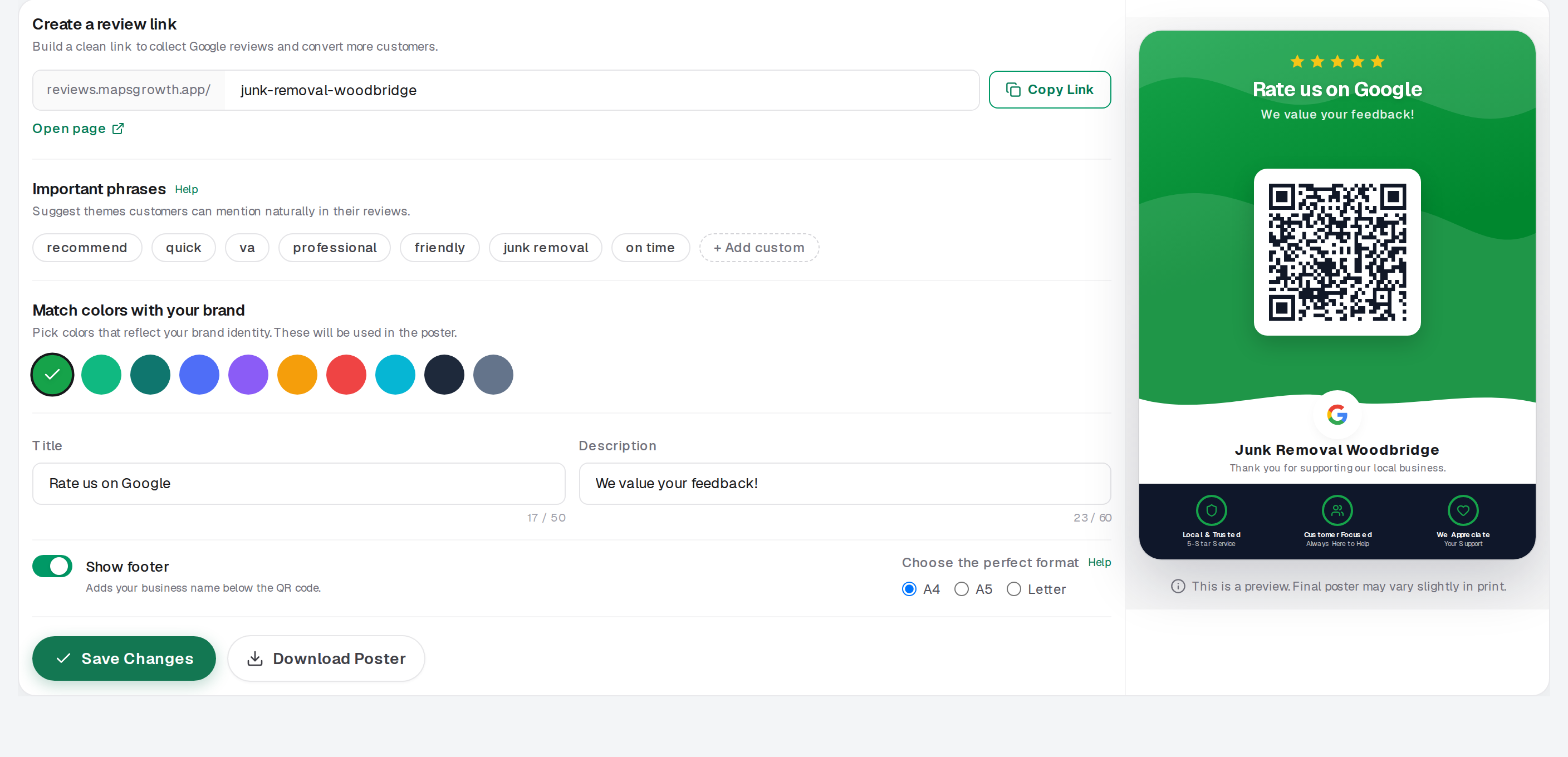
Turn Customer Visits Into Google Reviews
Create branded QR posters that customers can scan with their phones. Choose a design, add your message, and match the poster to your brand.
Place the poster where customers naturally pause. A quick scan takes them to the review experience you selected.
- Add your logo and colors
- Change the message and poster size
- Download a print-ready design
- Create posters for different locations
Let Customers Pay and Leave a Google Review
Give customers one branded page where they can choose a payment method and leave a review. The page uses the same design theme as your printed QR poster.
Customers can choose from the payment methods the business enables. The Google review button stays visible below the payment options.
- Card or Apple Pay through a merchant Stripe link
- Venmo, Cash App, PayPal, and Zelle
- QR scan opens your hosted Pay & Review page
- Same branded experience from poster to payment
Payments are completed through the selected external provider. Local SEO Express does not process, hold, or verify funds sent through external payment apps.
Make Review Requests Part of Every Completed Job
The best review process is one your team can repeat. Ask soon after a completed service, appointment, purchase, or visit.
Local SEO Express keeps the request process in one place. Your team can send the same clear message without rebuilding it each time.
↓
Confirm the customer is satisfied
↓
Send the review request
↓
Customer taps the direct link
↓
Customer leaves an honest Google review
More Reviews Start With a Better Request Process
Ask at the Right Time
Send the request while the service is still fresh in the customer’s mind.
Remove Extra Steps
Take customers directly to your Google review page instead of making them search.
Keep Your Branding Consistent
Use your business name, logo, colors, and message across text, email, QR, and hosted pages.
Give Your Team One Simple System
Create templates once and use them after every completed job or visit.
See What Customers Click
Track request activity and learn which delivery methods get the most engagement.
Support Multiple Locations
Use the correct Google review link, branding, and campaign for each business location.
Build Trust Before Customers Contact You
Google reviews appear with Business Profiles in Google Search and Maps. They can help potential customers learn about a business before deciding who to call.
A steady review process shows that your business is active and serves real customers. Honest feedback also gives your team information that can help improve the customer experience.
Reviews can support a stronger Google Business Profile and help your business stand out.
- Strengthen customer trust
- Show recent customer experiences
- Support your local presence
- Help customers compare businesses
- Learn from customer feedback
Ask for Reviews the Right Way
Local SEO Express helps you request honest reviews. It does not create fake reviews or promise only positive feedback.
Google allows businesses to remind customers to leave reviews and share review links or QR codes. Google does not allow businesses to offer free or discounted products or services in exchange for reviews.
Ask real customers
Request honest reviews from people who actually used your business.
Do not buy reviews
Fake or paid reviews violate Google policy and erode trust.
No rewards for reviews
Do not offer discounts or gifts in exchange for a review or rating.
Fair opportunity for feedback
Do not hide the Google review option from unhappy customers.
Respect SMS consent
Honor opt-out requests and required messaging registration.
Honest Google reviews
Get more honest Google reviews from real customers—not manufactured ratings.
A Simpler Way to Get More Google Reviews
Without Local SEO Express
- Staff forget to ask
- Customers must find your listing
- Review links are scattered
- Each employee uses a different message
- Printed materials do not match your brand
- You cannot easily see request activity
With Local SEO Express
- Send requests from one dashboard
- Use direct Google review links
- Save reusable text and email templates
- Create branded QR posters
- Offer Pay & Review pages
- Track sends, visits, and clicks
See the customer experience: a clear request, one tap to Google, and honest feedback from a real visit.
Google Review Software for Local Businesses
Local SEO Express is designed for businesses that depend on local customers and word of mouth.
Home services
- Plumbers
- Electricians
- HVAC companies
- Roofers
- Junk removal
- Cleaning
- Landscapers
Professional services
- Law firms
- Accountants
- Consultants
- Real estate
- Insurance agencies
Health & personal care
- Dentists
- Medical offices
- Salons & barbers
- Spas
- Fitness professionals
Local storefronts
- Restaurants
- Coffee shops
- Auto repair
- Retail stores
- Pet care
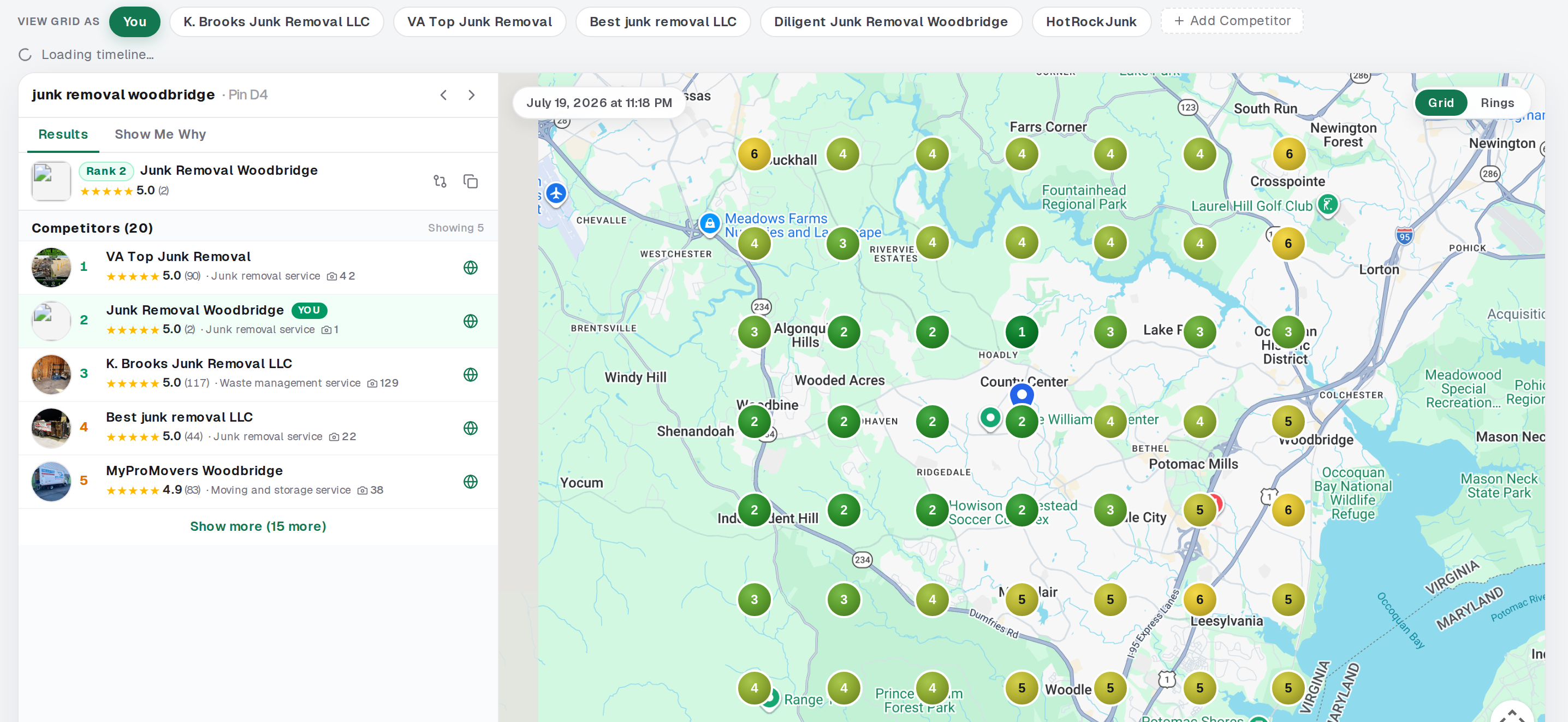
Manage Every Review Request From One Place
Use one dashboard to manage customers, messages, links, posters, and campaign activity.
Keep your review tools organized as your business grows.
- Customer contacts and request history
- Message templates for SMS and email
- Google review links and QR campaigns
- Pay & Review pages
- Activity analytics
- Multiple business locations and team access
See How Customers Engage
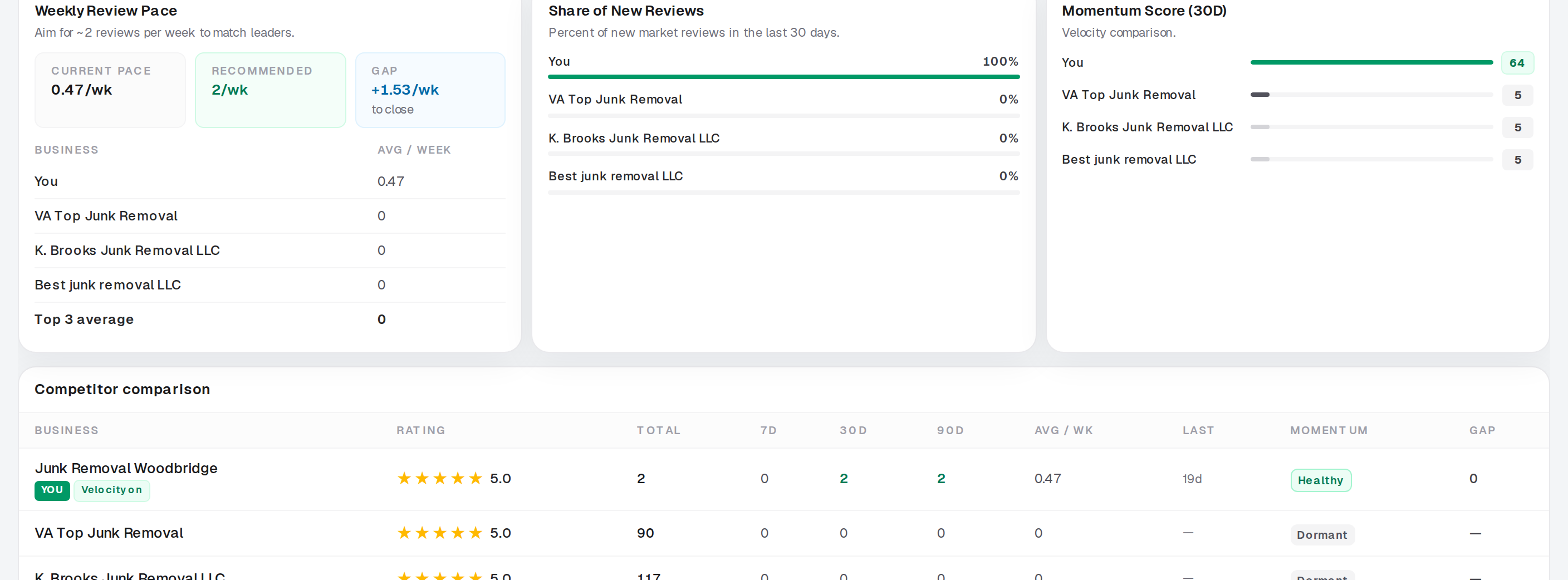
Track the actions Local SEO Express can measure honestly. Use the data to improve your request process.
- Review requests sent
- Email and SMS delivery activity
- Review-link clicks and QR page visits
- QR scans and Pay & Review page views
- Payment-method and review-button clicks
A click shows that the customer opened the review link. It does not prove that a Google review was posted. External payment clicks also do not prove that a payment was completed.
Turn Great Customer Experiences Into Visible Proof
Your customers already know the quality of your work. New customers do not.
A simple review request gives satisfied customers a chance to share their real experience. Over time, those reviews can help your business present a stronger and more active Google profile.
Create your review link, choose your message, and send your first request.
See the Customer Experience
Once real testimonials are collected, this section can showcase verified customer stories.
Request sent
Your customer receives a clear text or email from your business.
Link opened
One tap takes the customer to your Google review page.
Feedback shared
The customer writes an honest review based on their real experience.